Adding the Storyboard and Audio Together
(Putting them both into ClipChamp to make the video)
There are MANY tools for editing video, but we have chosen to use ClipChamp because it operates on
almost every platform, iOS, PC, Macs, Chromebooks. It’s browser-based, so its functionality is almost
unchanged, platform-to-platform.
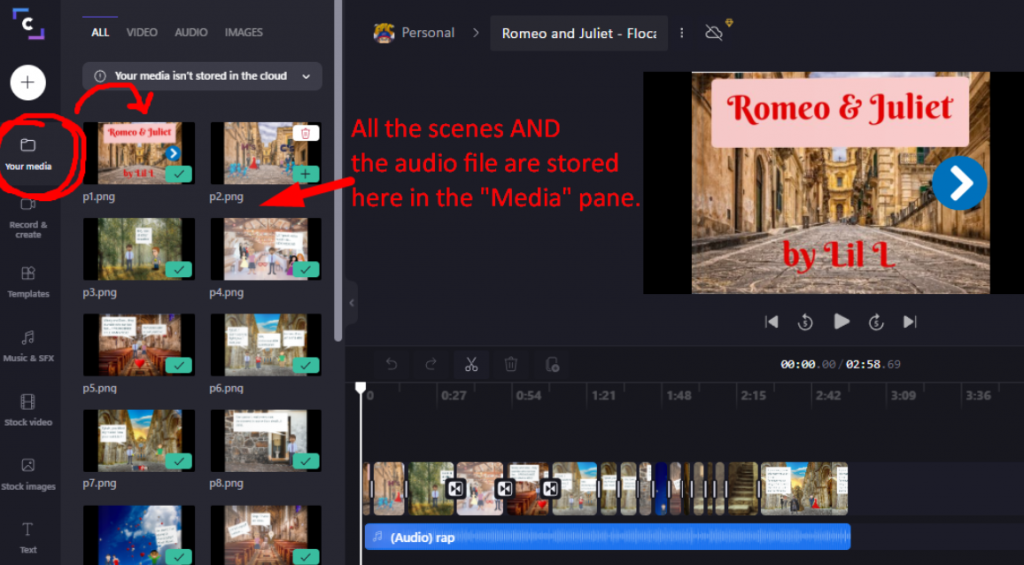
- Upload all the scenes AND the audio of your song to ClipChamp.
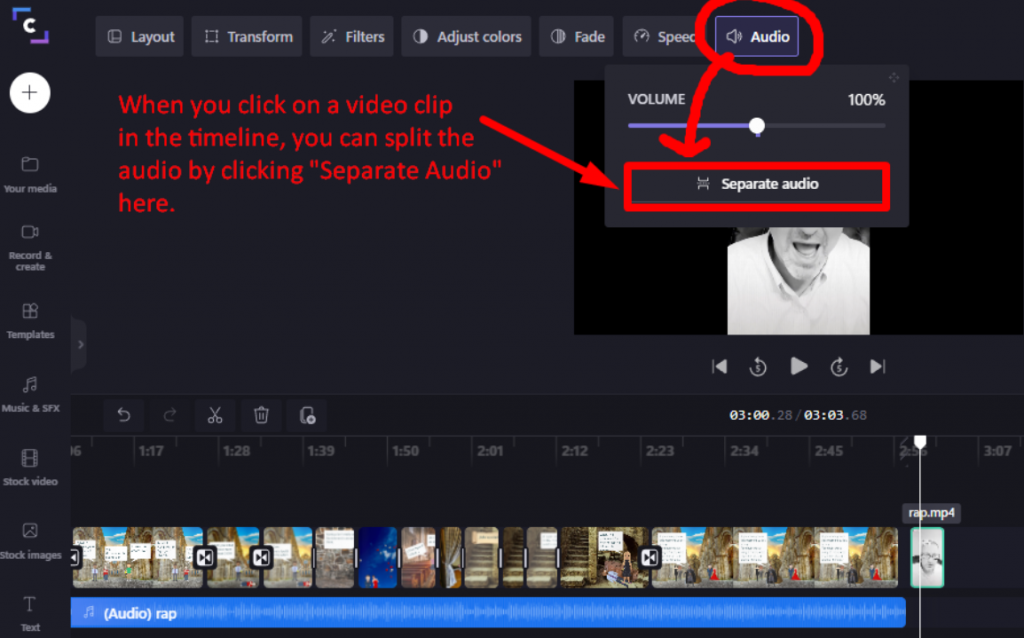
- Drag the audio into the audio timeline OR if you have a video split the video and audio and discard the video part.
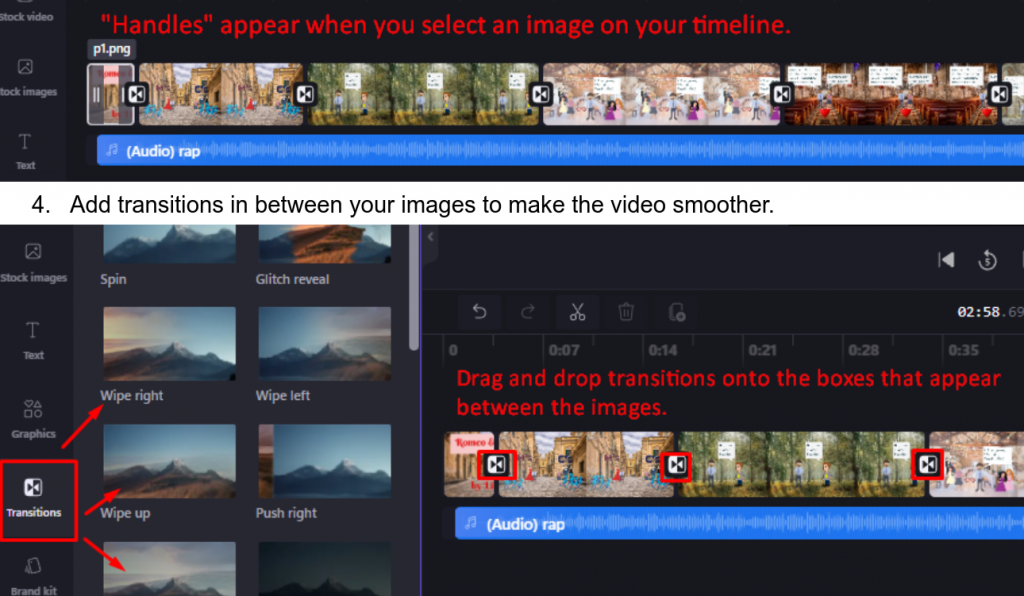
- Line up all your images with the audio. You can stretch or shrink the images easily with “handles” that appear once you drop it onto the timeline. Zoom in or Zoom out on the timeline to get more or less accurate.
- Add transitions in between your images to make the video smoother.